
Quick Answer
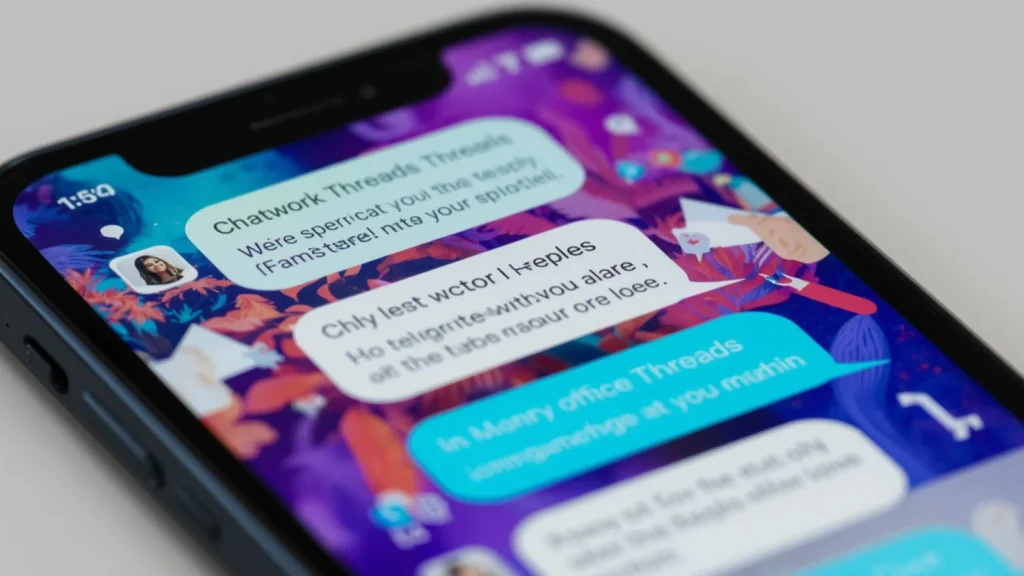
The Chatwork Threads Replies Feature helps teams keep conversations organized by allowing users to reply directly to specific messages instead of creating scattered discussions. This makes workplace communication clearer, faster, and easier to follow.
Top benefits include better organization, improved collaboration, reduced confusion, faster responses, and streamlined team communication.
Modern workplaces rely heavily on messaging platforms to keep teams connected. However, as conversations grow, group chats can quickly become messy and difficult to follow. Important questions get buried, project updates become harder to track, and team members may struggle to identify which message someone is responding to.
This is where the Chatwork Threads Replies Feature becomes incredibly valuable. By allowing users to reply directly to a specific message, Chatwork helps teams maintain context and keep discussions organized. Instead of creating long chains of unrelated messages, employees can continue focused conversations within individual threads.
Whether you’re managing projects, collaborating with remote teams, handling client communications, or coordinating daily tasks, understanding how to use Chatwork’s reply feature effectively can improve productivity and reduce misunderstandings. This guide explores the Chatwork Threads Replies Feature in depth, including benefits, best practices, workplace examples, professional reply templates, and practical ways to use threaded conversations more efficiently in 2026.
What Is the Chatwork Threads Replies Feature?
The Chatwork Threads Replies Feature allows users to respond directly to a specific message within a chat conversation.
Unlike traditional chat messages that appear in a continuous stream, threaded replies remain connected to the original message. As a result, conversations stay organized and easier to follow.
Key Benefits
Keeps discussions organized
Example: Multiple projects are discussed in one group chat.
Meaning: Each topic remains separate.
Maintains message context
Example: Team members reply directly to a project update.
Meaning: Everyone understands the discussion.
Reduces confusion
Example: Several questions are asked simultaneously.
Meaning: Replies stay linked to the correct question.
Improves collaboration
Example: Departments coordinate on shared tasks.
Meaning: Teams communicate more effectively.
Makes conversations easier to track
Example: Project managers review discussion history.
Meaning: Important details remain accessible.
Supports remote teams
Example: Global teams work across time zones.
Meaning: Context remains available even later.
Enhances workplace communication
Example: Daily updates occur in busy channels.
Meaning: Information stays structured.
Encourages focused discussions
Example: Product feedback discussions.
Meaning: Conversations remain relevant.
Reduces message clutter
Example: Large team channels.
Meaning: Cleaner communication.
Improves response accuracy
Example: Technical questions receive answers.
Meaning: Replies match the correct topic.
Helps new team members catch up
Example: Employee onboarding.
Meaning: Conversations are easier to understand.
Supports project management workflows
Example: Task discussions.
Meaning: Progress is easier to monitor.
Makes follow ups simpler
Example: Ongoing discussions.
Meaning: Previous messages remain connected.
Improves accountability
Example: Assigned tasks.
Meaning: Responsibilities stay visible.
Boosts productivity
Example: Daily collaboration.
Meaning: Less time spent searching messages.
Why Teams Use Threaded Replies
Threaded replies have become a standard feature across modern collaboration platforms because they solve communication challenges.
Advantages for Teams
Clearer conversations
Example: Team discussions stay organized.
Meaning: Communication improves.
Less information overload
Example: Busy project channels.
Meaning: Easier reading experience.
Faster decision making
Example: Management discussions.
Meaning: Information is easier to access.
Better project visibility
Example: Task updates.
Meaning: Progress remains visible.
Improved engagement
Example: Employee participation.
Meaning: Team members contribute more.
Reduced misunderstandings
Example: Clarification requests.
Meaning: Context remains attached.
More professional communication
Example: Client projects.
Meaning: Discussions appear structured.
Simplified knowledge sharing
Example: Training discussions.
Meaning: Information is easier to locate.
Stronger collaboration
Example: Cross-functional teams.
Meaning: Better teamwork.
Efficient communication flow
Example: Daily operations.
Meaning: Messages remain organized.
Enhanced transparency
Example: Project management.
Meaning: Everyone sees updates.
Improved accountability
Example: Assigned responsibilities.
Meaning: Actions remain documented.
Easier reporting
Example: Status reviews.
Meaning: Information is easy to track.
More focused discussions
Example: Feature development.
Meaning: Relevant conversations stay together.
Better workflow management
Example: Ongoing projects.
Meaning: Teams stay aligned.
Best Professional Thread Replies
“Thank you for the update.”
Example: Project progress report.
Meaning: Professional acknowledgment.
“I appreciate the clarification.”
Example: Follow up discussion.
Meaning: Gratitude for additional information.
“I’ll review this and provide feedback.”
Example: Document review.
Meaning: Commitment to action.
“That makes sense.”
Example: Team discussion.
Meaning: Agreement.
“Thank you for sharing.”
Example: Workplace update.
Meaning: Appreciation.
“I’ll follow up shortly.”
Example: Task assignment.
Meaning: Future action.
“This is very helpful.”
Example: Team guidance.
Meaning: Positive acknowledgment.
“I completely agree.”
Example: Planning discussion.
Meaning: Support for the idea.
“Let’s move forward with this approach.”
Example: Decision making.
Meaning: Approval.
“I’ll coordinate with the team.”
Example: Project collaboration.
Meaning: Team involvement.
“Thank you for the insight.”
Example: Expert advice.
Meaning: Appreciation.
“This aligns with our objectives.”
Example: Strategic planning.
Meaning: Agreement.
“Please keep me updated.”
Example: Ongoing work.
Meaning: Continued interest.
“Excellent suggestion.”
Example: Brainstorming session.
Meaning: Positive feedback.
“Let’s discuss this further.”
Example: Complex topic.
Meaning: Continued conversation.
Using Thread Replies for Project Management
Project managers often rely on threaded replies to keep tasks organized.
Benefits
Track project updates
Assign responsibilities
Monitor deadlines
Document decisions
Share progress reports
Coordinate teams
Manage risks
Review deliverables
Discuss requirements
Track approvals
Handle feedback
Monitor milestones
Organize resources
Manage dependencies
Improve communication
Each of these becomes easier when discussions stay connected to the original project message.
Chatwork Thread Reply Examples for Managers
“Let’s prioritize this task.”
Example: Team planning.
Meaning: Focus on importance.
“Thank you for completing this.”
Example: Finished assignment.
Meaning: Recognition.
“Please share an update tomorrow.”
Example: Ongoing project.
Meaning: Request for progress.
“Let’s review this together.”
Example: Team discussion.
Meaning: Collaboration.
“Good work on this initiative.”
Example: Project success.
Meaning: Appreciation.
“Let’s revisit this next week.”
Example: Future planning.
Meaning: Follow up later.
“I support this recommendation.”
Example: Strategic discussion.
Meaning: Approval.
“Please document the outcome.”
Example: Project update.
Meaning: Record keeping.
“Thank you for identifying the issue.”
Example: Problem resolution.
Meaning: Recognition.
“Let’s proceed as discussed.”
Example: Final decision.
Meaning: Agreement.
“I appreciate the effort.”
Example: Team contribution.
Meaning: Gratitude.
“Let’s keep the momentum going.”
Example: Active project.
Meaning: Motivation.
“Excellent collaboration.”
Example: Team achievement.
Meaning: Recognition.
“Please update the timeline.”
Example: Project planning.
Meaning: Schedule adjustment.
“Let’s communicate this to stakeholders.”
Example: Project management.
Meaning: Information sharing.
Common Mistakes When Using Thread Replies
Many users fail to use threaded conversations correctly.
Mistakes to Avoid
Replying outside the thread
Starting duplicate discussions
Ignoring previous context
Using vague responses
Overloading threads with unrelated topics
Failing to tag relevant people
Missing important updates
Creating unnecessary threads
Using unclear language
Not following up
Ignoring deadlines
Posting duplicate information
Skipping documentation
Forgetting action items
Failing to summarize outcomes
Avoiding these mistakes improves communication quality significantly.
Best Practices for Chatwork Thread Communication
Successful teams follow communication standards.
Best Practices
Reply directly to relevant messages
Stay on topic
Use clear language
Provide context
Acknowledge updates
Respond promptly
Summarize decisions
Use professional wording
Tag appropriate team members
Keep replies concise
Document important outcomes
Follow through on commitments
Review previous messages
Clarify uncertainties
Maintain professionalism
These habits help teams maximize the value of threaded conversations.
Chatwork Threads Feature for Remote Teams
Remote work depends on clear communication.
Threaded replies help remote teams by:
Maintaining context across time zones
Reducing confusion
Supporting asynchronous work
Keeping projects organized
Improving visibility
Encouraging collaboration
Preserving discussion history
Reducing repetitive questions
Supporting knowledge management
Improving productivity
Tracking responsibilities
Organizing updates
Enhancing transparency
Supporting accountability
Strengthening teamwork
As remote work continues to grow, threaded communication remains an essential productivity tool.
FAQs
What is the Chatwork Threads Replies Feature?
It allows users to reply directly to specific messages, keeping conversations organized and easier to follow.
Why are threaded replies important?
They maintain context, reduce confusion, and improve team communication.
Can threaded replies improve productivity?
Yes. They help employees find information faster and keep discussions organized.
Are threaded replies useful for remote teams?
Absolutely. They support asynchronous communication and preserve conversation context.
What is the biggest advantage of threaded conversations?
They keep related discussions together, making communication more efficient.
Conclusion
The Chatwork Threads Replies Feature is much more than a simple messaging tool. It helps teams communicate clearly, stay organized, and collaborate effectively in increasingly busy digital workplaces. By keeping conversations connected to their original messages, threaded replies reduce confusion, improve accountability, and make information easier to find.
you’re managing projects, leading remote teams, collaborating with colleagues, or handling daily workplace communication, mastering threaded replies can significantly improve productivity and communication quality. As organizations continue adopting modern collaboration tools, the ability to use threaded conversations effectively will remain an essential workplace skill in 2026 and beyond.