

Quick Answer
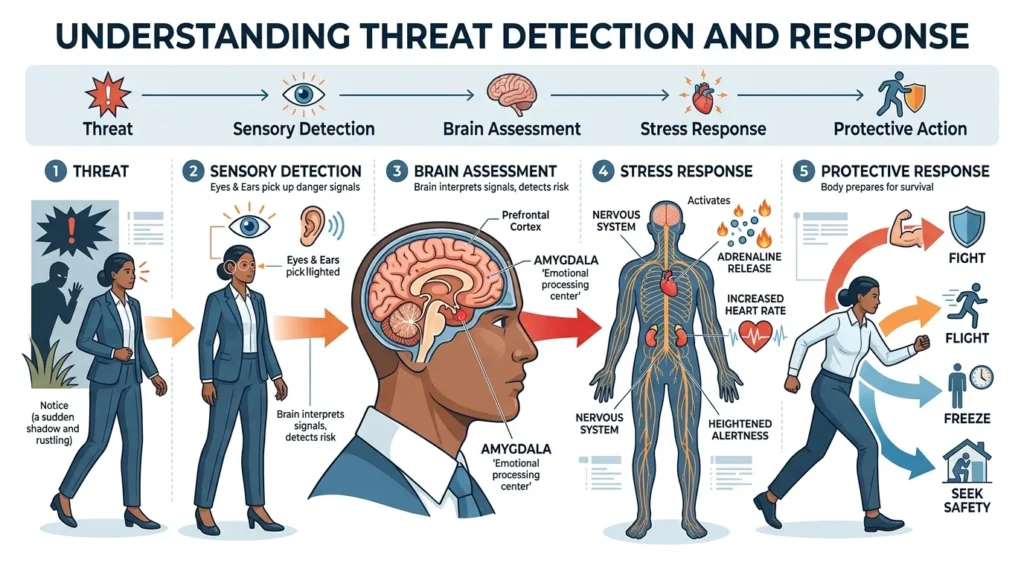
Threat detection and response is the process of identifying potential threats, analyzing their risk, and taking action to prevent or reduce harm. It is commonly used in cybersecurity, workplaces, physical security, emergency management, and risk management.
Top alternatives: threat detection, threat response, threat detection and prevention, security threat response, incident detection and response
Threats don’t always announce themselves with a flashing red warning sign. Sometimes they’re hidden inside a suspicious email, unusual login, strange network activity, physical security issue, or unexpected change in normal behavior. That’s why threat detection and response matters. It combines two important jobs: finding potential threats and taking appropriate action before they cause serious damage. In cybersecurity, this might mean detecting malware or unauthorized access. In a workplace, it could involve identifying a safety concern and escalating it properly. Effective threat response isn’t just about reacting quickly. It’s about knowing what to look for, determining whether the threat is real, prioritizing the risk, and responding in a coordinated way. A strong process helps organizations move from “Something looks wrong” to “Here’s what we’re doing about it” without unnecessary chaos.
What Is Threat Detection and Response?
Threat detection and response is a security process that involves:
- Identifying potential threats
- Analyzing suspicious activity
- Determining the level of risk
- Containing the threat
- Removing or reducing the threat
- Recovering affected systems or operations
- Learning from the incident
The process can be used across many areas.
In cybersecurity, it often focuses on malicious activity.
In physical security, it may focus on unauthorized access or dangerous situations.
How Threat Detection and Response Works
A basic threat response cycle looks like this:
Detect → Analyze → Prioritize → Contain → Remediate → Recover → Improve
Each stage has a different purpose.
Detection finds the possible threat.
Analysis determines what is happening.
Prioritization identifies how serious it is.
Containment limits the damage.
Remediation removes the underlying problem.
Recovery restores normal operations.
Improvement strengthens future defenses.
Threat Detection in Cybersecurity
Cybersecurity teams constantly monitor systems for suspicious behavior.
They may look for:
- Unusual login attempts
- Malware
- Phishing activity
- Unauthorized access
- Suspicious network traffic
- Data exfiltration
- Abnormal account behavior
- Exploited vulnerabilities
- Unusual administrative activity
Modern security teams often combine multiple detection technologies rather than relying on a single tool.
Common Threat Detection Methods
Signature-Based Detection
This method looks for known patterns associated with malicious activity.
It’s useful for recognizing known threats.
The downside?
It may struggle with new or heavily modified threats.
Behavioral Detection
Behavior-based detection looks for unusual activity.
For example:
A user who normally logs in from one location suddenly accesses sensitive systems from an unusual location and performs several administrative actions.
That behavior may deserve investigation.
Anomaly Detection
Anomaly detection compares current activity with expected patterns.
The system may flag something because it significantly differs from normal behavior.
Rule-Based Detection
Security teams can create rules for specific conditions.
For example:
“Alert when multiple failed login attempts occur within a short period.”
Threat Intelligence
Threat intelligence provides information about known threats, attackers, indicators, and tactics.
It can help security teams recognize suspicious activity more quickly.
Threat Detection Tools
Organizations may use several technologies together.
Common examples include:
- SIEM platforms
- EDR solutions
- XDR platforms
- Network detection tools
- Intrusion detection systems
- Vulnerability scanners
- Identity monitoring
- Cloud security tools
- Email security systems
- Threat intelligence platforms
Each technology sees a different part of the security picture.
SIEM and Threat Detection
A Security Information and Event Management system, or SIEM, collects and analyzes security-related logs.
It can combine information from:
- Servers
- Firewalls
- Endpoints
- Applications
- Cloud services
- Identity systems
- Network devices
The goal is to identify patterns that might indicate a security incident.
EDR and Threat Response
Endpoint Detection and Response, or EDR, focuses on devices such as:
- Laptops
- Desktops
- Servers
- Workstations
EDR can help security teams investigate suspicious endpoint activity and respond to threats.
Possible actions can include isolating a device or stopping malicious processes, depending on the platform and organization’s response policies.
XDR and Threat Detection
Extended Detection and Response, or XDR, expands detection across multiple security layers.
Instead of examining endpoints alone, XDR can correlate information from areas such as:
- Endpoints
- Networks
- Cloud environments
- Identity systems
This broader visibility can help security teams connect related signals.
Threat Detection vs Threat Response
These terms describe different stages.
Threat detection: Finding potential suspicious activity.
Threat response: Taking action after identifying or confirming a threat.
For example:
A security system detects unusual login behavior.
That’s detection.
The security team investigates the account and temporarily disables it.
That’s response.
Threat Detection vs Incident Response
Threat detection focuses on finding potential threats.
Incident response is the broader process of managing a confirmed or suspected security incident.
Incident response may include:
- Detection
- Investigation
- Containment
- Eradication
- Recovery
- Documentation
- Lessons learned
Threat Response Process
Step 1: Detect
Identify suspicious activity.
Step 2: Validate
Determine whether the alert represents a genuine threat or a false positive.
Step 3: Investigate
Gather information about what happened.
Step 4: Prioritize
Determine the severity and potential impact.
Step 5: Contain
Take appropriate steps to limit further damage.
Step 6: Remediate
Remove the underlying threat or vulnerability.
Step 7: Recover
Restore affected systems and normal operations.
Step 8: Review
Analyze the incident and improve defenses.
Threat Detection Examples
Suspicious Login
An employee’s account suddenly attempts to access sensitive systems at unusual times.
Security monitoring flags the activity.
Malware Detection
An endpoint begins running suspicious processes.
The security system generates an alert.
Phishing Email
A message contains suspicious links and attempts to imitate a trusted organization.
Email security tools flag the message.
Unusual Data Transfer
A server suddenly sends an unusually large amount of data outside the organization.
This may trigger an investigation.
Privilege Escalation
An account suddenly receives administrative privileges.
Security teams may investigate whether the change was legitimate.
Threat Response Examples
Isolating an Endpoint
A compromised device may be isolated from the network to prevent additional activity.
Disabling an Account
A potentially compromised account may be temporarily disabled while investigators examine the incident.
Blocking Malicious Traffic
Security controls can block suspicious network connections when appropriate.
Removing Malware
Security teams can remove malicious software and investigate how it entered the environment.
Resetting Credentials
Compromised credentials may need to be reset.
Threat Detection and Response in the Cloud
Cloud environments introduce additional security challenges.
Organizations may monitor:
- Cloud accounts
- Access permissions
- API activity
- Storage access
- Network traffic
- Configuration changes
- Authentication events
Cloud threat detection needs to account for both infrastructure and identity.
Identity Threat Detection
Identity systems are increasingly important security targets.
Security teams may monitor for:
- Impossible travel
- Repeated failed logins
- Unusual authentication
- Privilege changes
- Suspicious account creation
- Abnormal application access
Identity-based threats can sometimes look like legitimate user activity, making behavioral analysis important.
Network Threat Detection
Network monitoring can identify unusual communication patterns.
Examples include:
- Unexpected connections
- Port scanning
- Suspicious protocols
- Abnormal traffic volumes
- Communication with known malicious infrastructure
Network detection provides another layer of visibility.
Email Threat Detection
Email remains a major attack surface.
Detection systems may examine:
- Sender reputation
- Links
- Attachments
- Message patterns
- Domain information
- User behavior
Organizations can combine technical controls with employee awareness training.
Threat Detection and Artificial Intelligence
Modern security platforms increasingly use machine learning and other automated analysis techniques.
These systems may help identify:
- Behavioral anomalies
- Suspicious patterns
- Large numbers of related alerts
- Unusual account activity
- Potentially malicious sequences
Automation can help analysts process large volumes of security data.
However, automated alerts still need appropriate validation and response procedures.
Automated Threat Response
Some organizations automate specific responses.
For example:
Detection → Alert → Endpoint isolation
or:
Suspicious login → Risk evaluation → Additional authentication
Automation can reduce response time.
But highly disruptive actions should be carefully designed because an incorrect automated response can interrupt legitimate business activity.
Threat Detection and Response Teams
A security operations center, or SOC, may monitor security events and coordinate responses.
Typical roles can include:
- SOC analysts
- Incident responders
- Threat hunters
- Security engineers
- Security managers
- Digital forensics specialists
Larger organizations may have specialized teams for different types of incidents.
Threat Hunting
Threat hunting is a proactive approach to security.
Instead of waiting for an alert, analysts actively search for signs of suspicious activity.
They may investigate:
- Unusual processes
- Rare authentication events
- Unexpected network connections
- Suspicious administrative behavior
- Known attacker techniques
Threat hunting can help identify activity that automated detection missed.
Threat Intelligence and Response
Threat intelligence can provide context about a suspicious event.
For example, an analyst may discover that an IP address, domain, or file hash has previously been associated with malicious activity.
This information can help prioritize an investigation.
Threat Detection and Response Frameworks
Organizations often use established security frameworks to structure their processes.
Common concepts include:
- Identify
- Protect
- Detect
- Respond
- Recover
These categories help organizations build a more complete security program.
Threat Detection and Response Best Practices
Know Your Normal Environment
You can’t identify unusual activity if you don’t understand normal behavior.
Centralize Important Logs
Relevant logs should be accessible to security teams.
Prioritize Alerts
Not every alert deserves the same urgency.
Reduce False Positives
Too many irrelevant alerts can overwhelm analysts.
Automate Carefully
Automate repetitive, well-understood actions while keeping appropriate human oversight.
Test Response Plans
A plan that has never been tested may fail when it matters most.
Keep Systems Updated
Patching known vulnerabilities can reduce opportunities for attackers.
Protect Credentials
Strong authentication and access controls can reduce account-related threats.
Threat Detection and Response Metrics
Organizations can measure performance using metrics such as:
| Metric | Meaning |
|---|---|
| MTTD | Mean Time to Detect |
| MTTR | Mean Time to Respond or Recover |
| Alert Volume | Number of security alerts |
| False Positive Rate | Percentage of incorrect alerts |
| Detection Coverage | How much of the environment is monitored |
| Escalation Time | Time required to move an issue to the right team |
| Containment Time | Time required to limit a threat |
These metrics can help security leaders identify weaknesses.
Mean Time to Detect
MTTD measures how quickly an organization identifies a threat or incident.
Shorter detection times can reduce the period during which an attacker remains active.
The goal isn’t simply to generate more alerts.
It’s to identify meaningful threats quickly and accurately.
Mean Time to Respond
MTTR can refer to different things depending on the organization.
In security operations, it may describe how quickly a team responds to an incident.
A faster response can help reduce potential damage.
False Positives in Threat Detection
A false positive occurs when a security system flags legitimate activity as suspicious.
Too many false positives can cause:
- Analyst fatigue
- Slower investigations
- Missed real threats
- Wasted resources
Good detection systems aim for both strong coverage and useful accuracy.
Threat Detection and Response Challenges
Security teams often face:
- Alert overload
- Limited staffing
- Complex environments
- Rapidly changing threats
- Cloud adoption
- Remote work
- Sophisticated attacks
- Incomplete visibility
A mature program addresses these challenges through technology, processes, and skilled people.
Threat Detection for Small Businesses
Small businesses don’t need a massive security operation to improve threat detection.
They can start with:
- Multi-factor authentication
- Endpoint protection
- Email security
- Regular patching
- Secure backups
- Centralized logging
- Employee training
- Basic incident response procedures
Simple security improvements can make a meaningful difference.
Threat Detection for Large Organizations
Large organizations may need broader capabilities.
These can include:
- 24/7 SOC monitoring
- Advanced SIEM
- EDR and XDR
- Threat intelligence
- Threat hunting
- Digital forensics
- Automated response
- Cloud security monitoring
- Identity threat detection
The larger the environment, the more important coordination becomes.
Threat Detection and Response Checklist
Before an incident happens, organizations should have:
- Security monitoring
- Alert triage process
- Incident response plan
- Escalation procedures
- Emergency contacts
- Backup strategy
- Endpoint protection
- Multi-factor authentication
- Log collection
- Threat intelligence
- Response playbooks
- Regular security testing
- Post-incident review
Common Threat Response Mistakes
Ignoring Alerts
Important alerts can be missed when teams assume everything is harmless.
Responding Without Verification
Acting too quickly without understanding an event can disrupt legitimate users.
Having No Response Plan
Teams shouldn’t create their first response process in the middle of an emergency.
Failing to Document Incidents
Documentation helps organizations understand what happened and improve future responses.
Focusing Only on Technology
People and processes matter just as much as security tools.
Threat Detection and Response in Physical Security
The concept isn’t limited to cybersecurity.
Physical security teams may detect:
- Unauthorized entry
- Suspicious behavior
- Security breaches
- Fire hazards
- Safety threats
- Access violations
The response may involve security personnel, emergency procedures, evacuation, or law enforcement depending on the situation.
Threat Detection and Response in the Workplace
Organizations can also use threat detection principles for workplace safety.
Potential concerns may include:
- Safety hazards
- Unauthorized access
- Workplace violence risks
- Equipment problems
- Environmental hazards
The response should follow established safety and emergency procedures.
Why Threat Detection and Response Matters
A threat that remains undetected can become much harder to manage.
Effective detection and response can help organizations:
- Reduce damage
- Protect information
- Limit downtime
- Protect customers
- Maintain business operations
- Improve security visibility
- Recover faster
The basic idea is straightforward:
Find problems early and respond intelligently.
FAQs
What is threat detection and response?
It is the process of identifying potential threats, analyzing them, and taking action to reduce or eliminate their impact.
What is the difference between threat detection and threat response?
Detection identifies suspicious activity, while response involves investigating and taking action against the threat.
What is an example of threat detection?
Detecting unusual login activity, malware, suspicious network traffic, or abnormal data transfers are common examples.
What is an example of threat response?
Isolating a potentially compromised computer or disabling a suspicious account can be examples of response actions.
What tools are used for threat detection?
Organizations commonly use SIEM, EDR, XDR, network monitoring, identity security, email security, and threat intelligence tools.
What does EDR mean?
EDR stands for Endpoint Detection and Response and focuses on detecting and responding to threats on endpoints such as computers and servers.
What does XDR mean?
XDR stands for Extended Detection and Response and combines security information from multiple areas to improve threat visibility and response.
What is threat hunting?
Threat hunting is the proactive search for suspicious activity that automated security alerts may not identify.
Why is threat response important?
A fast and coordinated response can help contain threats, reduce damage, and restore normal operations.
What is the best threat detection strategy?
A layered approach combining technology, trained security personnel, monitoring, clear procedures, and regular testing is generally more effective than relying on one tool.
Conclusion
Threat detection and response is all about staying one step ahead of problems. Detection helps organizations recognize suspicious activity, while response turns that information into action. Whether the threat involves malware, compromised accounts, unusual network traffic, physical security, or another risk, a structured process can make a major difference. Strong organizations don’t simply buy security tools and hope for the best. They build clear procedures, train their teams, monitor important systems, test their response plans, and learn from incidents. The goal isn’t to create endless alerts or panic over every unusual event. It’s to identify meaningful threats quickly, respond appropriately, and keep improving. A smart detection strategy paired with a well-practiced response plan can turn chaos into a much more manageable situation.
See Also More :
- 200+ Happy Mother’s Day Replies: That Are Sweet, Emotional & Perfect to Send
- 300+ How to See Replies on X (Twitter): Complete Guide for Mobile, Desktop and Hidden Conversations 2026