

Quick Answer
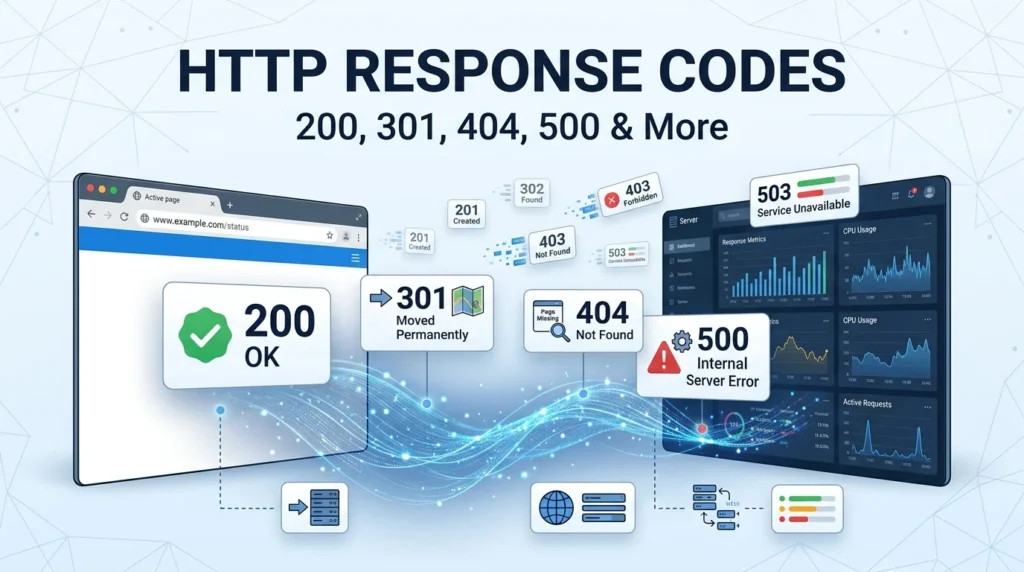
HTTP response codes are three-digit status codes sent by a web server to tell a browser, API client, or search engine what happened after a request. They’re grouped into 1xx informational, 2xx success, 3xx redirection, 4xx client errors, and 5xx server errors.
Top codes: 200 OK, 301 Moved Permanently, 302 Found, 404 Not Found, 500 Internal Server Error
Ever clicked a webpage and seen 404 Not Found, 500 Internal Server Error, or a mysterious 301 redirect? Those numbers aren’t random. They’re HTTP response codes, and they tell you how a server handled a request. Developers use them while building websites and APIs, SEO professionals watch them when fixing crawling and indexing issues, and everyday website owners run into them when pages disappear or servers misbehave. Think of HTTP response codes as quick status updates between your browser and a web server. Some basically say, “Yep, everything worked.” Others politely tell you to look somewhere else. And a few are the internet equivalent of, “Something has gone horribly wrong.” Understanding these codes makes troubleshooting websites, APIs, redirects, and server errors much easier.
What Are HTTP Response Codes?
HTTP response codes are three-digit numbers returned by a web server after receiving an HTTP request.
A response code tells the client what happened.
Example: A browser requests a webpage and receives 200 OK.
Meaning: The server successfully handled the request.
Every code belongs to a status-code class.
Example: A developer sees a code beginning with 4.
Meaning: The response belongs to the client-error category.
The first digit tells you the general category.
Example: A response starts with 5.
Meaning: The problem is generally associated with the server.
HTTP codes are used by browsers.
Example: Chrome requests a webpage from a server.
Meaning: The browser uses the response to determine what to display.
APIs rely heavily on HTTP response codes.
Example: An API returns 201 Created after receiving valid data.
Meaning: The requested resource was successfully created.
Search engines also encounter HTTP response codes.
Example: Googlebot visits a URL and receives 404.
Meaning: The server is telling the crawler that the requested resource wasn’t found.
A code can describe success.
Example: A server returns 200 OK.
Meaning: The request succeeded.
A code can describe a redirect.
Example: A server returns 301.
Meaning: The requested resource has permanently moved.
A code can identify a client error.
Example: A user requests a restricted resource.
Meaning: The server may return a 403 Forbidden response.
A code can identify a server error.
Example: The application crashes while processing a request.
Meaning: The server may return 500 Internal Server Error.
Response codes aren’t the same as HTTP headers.
Example: A response contains 200 OK plus a Content-Type header.
Meaning: The status code and headers provide different pieces of information.
Response codes are standardized.
Example: Different web servers can return 404 Not Found.
Meaning: Clients can interpret common HTTP statuses consistently.
Not every status code appears in everyday browsing.
Example: A developer encounters 429 Too Many Requests.
Meaning: Some codes are mainly relevant to APIs and automated systems.
HTTP codes help with debugging.
Example: A developer checks a failed API request.
Meaning: The response status can quickly narrow down the problem.
HTTP codes provide context without explaining everything.
Example: A server returns 500.
Meaning: You know a server-side error occurred, but you’ll need logs to find the exact cause.
HTTP Response Code Classes
| Code Range | Category | General Meaning |
|---|---|---|
| 100 to 199 | Informational | Request is being processed |
| 200 to 299 | Success | Request succeeded |
| 300 to 399 | Redirection | Further action is required |
| 400 to 499 | Client Error | Request has a client-side issue |
| 500 to 599 | Server Error | Server failed to fulfill a valid request |
1xx codes are informational.
Example: A server sends 100 Continue.
Meaning: The client can continue sending the request.
2xx codes indicate success.
Example: A webpage loads with 200 OK.
Meaning: The request succeeded.
3xx codes indicate redirection.
Example: A URL returns 301 Moved Permanently.
Meaning: The requested resource has moved to another location.
4xx codes indicate client errors.
Example: A user requests a nonexistent page.
Meaning: The server may respond with 404 Not Found.
5xx codes indicate server errors.
Example: An application fails while processing a request.
Meaning: The server couldn’t complete the request.
The categories make troubleshooting faster.
Example: You immediately notice a 503 response.
Meaning: You know you’re dealing with a server-side availability problem.
The first number is often enough to identify the problem type.
Example: A response begins with 4.
Meaning: Start investigating the request, authentication, permissions, or requested resource.
Different codes within a category have different meanings.
Example: 401 and 403 are both 4xx codes.
Meaning: One generally concerns authentication while the other concerns authorization.
Status codes can affect SEO.
Example: A page returns 301.
Meaning: Search engines can understand that the URL has permanently moved.
Status codes matter for APIs too.
Example: An API returns 422.
Meaning: The request reached the server but couldn’t be processed because of validation issues.
A status code alone isn’t always enough.
Example: An API returns 400.
Meaning: You may need the response body to discover which parameter is wrong.
Codes can be combined with descriptive messages.
Example: 404 Not Found.
Meaning: The number and phrase provide quick human-readable context.
Successful requests aren’t always 200.
Example: An API creates a resource and returns 201.
Meaning: The request succeeded, but 201 Created communicates the specific result more accurately.
Errors aren’t always caused by the same side.
Example: A 400 and a 500 both represent failures.
Meaning: 400 generally points toward the request while 500 points toward the server.
Common 1xx HTTP Response Codes
100 Continue
Example: A client sends request headers before uploading a large body.
Meaning: The server is indicating that the client can continue the request.
101 Switching Protocols
Example: A client requests an upgrade from HTTP to another protocol.
Meaning: The server agrees to switch protocols.
102 Processing
Example: A server needs time to process a complex request.
Meaning: The server has received the request but hasn’t completed it yet.
103 Early Hints
Example: A server sends preliminary information before the final response.
Meaning: The client can potentially begin preparing resources early.
1xx responses are generally temporary.
Example: A browser receives an informational status before the final response.
Meaning: The request hasn’t reached its final outcome yet.
100 is commonly associated with Expect: 100-continue.
Example: A client wants permission before sending a large request body.
Meaning: The server can tell the client to proceed.
101 can be used for protocol upgrades.
Example: A connection needs to switch protocols.
Meaning: The server has accepted the requested change.
103 can help with performance.
Example: A browser receives early hints for important resources.
Meaning: The browser may start fetching them sooner.
1xx responses aren’t usually visible to regular users.
Example: A webpage loads normally without displaying any status code.
Meaning: Informational responses generally happen behind the scenes.
Developers may see 1xx responses in network tools.
Example: A developer inspects browser network activity.
Meaning: Temporary server communication becomes visible.
1xx responses don’t normally represent errors.
Example: A server sends 100 Continue.
Meaning: The request is progressing rather than failing.
100 doesn’t mean the final request succeeded.
Example: A server says Continue and later returns an error.
Meaning: The informational response isn’t the final result.
101 is useful for protocol negotiation.
Example: A client requests a protocol switch.
Meaning: The server confirms the upgrade.
103 is designed to arrive before the final response.
Example: Critical resources are hinted before the page response completes.
Meaning: The client can potentially improve loading efficiency.
1xx codes are less important for everyday website troubleshooting.
Example: A site owner investigates a 404.
Meaning: 4xx and 5xx codes are usually more immediately useful.
Common 2xx HTTP Response Codes
200 OK
Example: A browser successfully loads an article.
Meaning: The server successfully fulfilled the request.
201 Created
Example: An API creates a new user account.
Meaning: The requested resource was successfully created.
202 Accepted
Example: An API accepts a job that will be processed later.
Meaning: The request was accepted but hasn’t necessarily finished.
203 Non-Authoritative Information
Example: A proxy modifies information from an origin server.
Meaning: The response isn’t necessarily identical to the original source.
204 No Content
Example: An API successfully processes a delete request.
Meaning: The request succeeded but there is no response body to return.
205 Reset Content
Example: A form submission needs the client to reset its interface.
Meaning: The server is asking the client to reset the document view.
206 Partial Content
Example: A video player requests only part of a large media file.
Meaning: The server is returning a requested byte range.
207 Multi-Status
Example: A WebDAV request affects multiple resources.
Meaning: The response contains different statuses for multiple operations.
208 Already Reported
Example: A WebDAV response contains duplicate resource information.
Meaning: The server avoids reporting the same resource repeatedly.
226 IM Used
Example: A server returns an instance manipulation result.
Meaning: The response represents a successful transformation of a resource.
200 is the status code most people recognize.
Example: A normal webpage loads successfully.
Meaning: The server handled the request without needing a redirect or reporting an error.
201 is common in REST APIs.
Example: A POST request creates a database record.
Meaning: The resource now exists.
202 is useful for asynchronous operations.
Example: A server starts a background video-processing job.
Meaning: The request was accepted but processing continues.
204 can be useful when no content needs to be returned.
Example: An API updates a setting without returning a body.
Meaning: The operation succeeded without response content.
206 supports partial downloads.
Example: A browser requests a specific section of a video file.
Meaning: The server returns only the requested range.
Common 3xx HTTP Response Codes
301 Moved Permanently
Example: A website permanently moves /old-page to /new-page.
Meaning: The resource has permanently moved.
302 Found
Example: A site temporarily sends visitors to another URL.
Meaning: The requested resource is temporarily available at another location.
303 See Other
Example: A form submission redirects the user to a results page.
Meaning: The client should retrieve another resource using GET.
304 Not Modified
Example: A browser already has a cached copy of a webpage.
Meaning: The resource hasn’t changed since the cached version.
307 Temporary Redirect
Example: A site temporarily moves a request while preserving the request method.
Meaning: The client should temporarily use another URL.
308 Permanent Redirect
Example: A website permanently moves a POST endpoint.
Meaning: The resource has permanently moved while preserving the HTTP method.
301 is especially important for SEO.
Example: A website permanently changes a page URL.
Meaning: A 301 tells clients and search engines that the move is permanent.
302 is intended for temporary moves.
Example: A landing page is temporarily unavailable.
Meaning: The original URL is still considered the primary location.
304 can improve performance.
Example: A browser asks whether a cached file has changed.
Meaning: The server says the existing cached version can be reused.
307 preserves the request method.
Example: A POST request is temporarily redirected.
Meaning: The client should continue using the same method.
308 preserves the request method permanently.
Example: An API endpoint permanently moves.
Meaning: The client should use the new location while preserving the method.
Redirects aren’t automatically errors.
Example: A visitor enters an old URL and lands on the current page.
Meaning: The redirect is doing its job.
Too many redirects can break a website.
Example: URL A redirects to B, then B redirects back to A.
Meaning: The browser can become trapped in a redirect loop.
Redirect chains can slow down page access.
Example: URL A redirects to B, then C, then D.
Meaning: Multiple hops create unnecessary requests.
A direct 301 is usually cleaner than a long chain.
Example: An old URL points directly to the final destination.
Meaning: Visitors and crawlers reach the correct page more efficiently.
3xx codes can be useful during site migrations.
Example: A website changes its URL structure.
Meaning: Redirects help visitors and search engines find the new locations.
Common 4xx HTTP Response Codes
400 Bad Request
Example: An API receives malformed JSON.
Meaning: The server can’t properly understand the request.
401 Unauthorized
Example: A user requests a protected API endpoint without valid authentication.
Meaning: Authentication is required or hasn’t been successfully provided.
403 Forbidden
Example: A user is authenticated but doesn’t have permission to access a resource.
Meaning: The server refuses to authorize the request.
404 Not Found
Example: A visitor opens a deleted webpage.
Meaning: The server can’t find the requested resource.
405 Method Not Allowed
Example: An endpoint accepts POST but receives GET.
Meaning: The HTTP method isn’t supported for that resource.
406 Not Acceptable
Example: A client requests a response format the server can’t provide.
Meaning: The server can’t satisfy the client’s requested representation.
407 Proxy Authentication Required
Example: A request passes through a proxy requiring authentication.
Meaning: Proxy authentication is needed.
408 Request Timeout
Example: A client takes too long to complete its request.
Meaning: The server timed out waiting for the request.
409 Conflict
Example: An API attempts to create a resource that conflicts with existing data.
Meaning: The request conflicts with the current state of the resource.
410 Gone
Example: A website permanently removes a page.
Meaning: The resource is intentionally no longer available.
411 Length Required
Example: A server requires a Content-Length header.
Meaning: The request must specify its content length.
412 Precondition Failed
Example: A request includes a condition that isn’t satisfied.
Meaning: The server cannot complete the request under the specified condition.
413 Content Too Large
Example: A user uploads a file larger than the server allows.
Meaning: The request body exceeds the permitted size.
414 URI Too Long
Example: A URL contains an excessively long query string.
Meaning: The requested URI is too long for the server to process.
415 Unsupported Media Type
Example: An API expects JSON but receives an unsupported format.
Meaning: The server doesn’t support the request’s media type.
416 Range Not Satisfiable
Example: A video client requests bytes outside the available range.
Meaning: The requested range can’t be provided.
417 Expectation Failed
Example: A client sends an expectation the server can’t satisfy.
Meaning: The server cannot meet the request’s expectation.
418 I’m a teapot
Example: A developer tests a playful endpoint.
Meaning: This is an April Fools status code from RFC 2324 rather than a normal production HTTP error.
421 Misdirected Request
Example: A request reaches a server that can’t produce a response for the requested origin.
Meaning: The request was directed to an inappropriate server.
422 Unprocessable Content
Example: An API receives valid JSON containing invalid field values.
Meaning: The server understands the request but can’t process its content.
423 Locked
Example: A WebDAV resource is currently locked.
Meaning: The resource can’t be modified because it’s locked.
424 Failed Dependency
Example: One WebDAV operation depends on another operation that failed.
Meaning: The current request can’t succeed because a related operation failed.
425 Too Early
Example: A server wants to avoid replaying a request.
Meaning: The request may be vulnerable to replay before it is safe to process.
426 Upgrade Required
Example: A server requires a protocol upgrade.
Meaning: The client needs to switch protocols.
428 Precondition Required
Example: A server requires conditional requests to prevent accidental overwrites.
Meaning: The request must include an appropriate precondition.
429 Too Many Requests
Example: An API receives hundreds of requests in seconds.
Meaning: The client has exceeded the allowed request rate.
431 Request Header Fields Too Large
Example: A request contains oversized headers.
Meaning: The server refuses the request because its headers are too large.
451 Unavailable For Legal Reasons
Example: A resource cannot be provided because of a legal restriction.
Meaning: Access is unavailable for legal reasons.
Common 5xx HTTP Response Codes
500 Internal Server Error
Example: A web application crashes while processing a request.
Meaning: The server encountered an unexpected condition.
501 Not Implemented
Example: A server doesn’t support the requested functionality.
Meaning: The server can’t fulfill the requested method or feature.
502 Bad Gateway
Example: A reverse proxy receives an invalid response from an upstream server.
Meaning: A gateway or proxy encountered a problem with another server.
503 Service Unavailable
Example: A website is temporarily overloaded or undergoing maintenance.
Meaning: The server is currently unable to handle the request.
504 Gateway Timeout
Example: A proxy waits too long for an upstream server.
Meaning: The upstream server didn’t respond within the expected time.
505 HTTP Version Not Supported
Example: A client requests an HTTP version the server doesn’t support.
Meaning: The requested HTTP protocol version isn’t supported.
506 Variant Also Negotiates
Example: Server configuration creates a content-negotiation loop.
Meaning: The chosen representation can’t be served correctly.
507 Insufficient Storage
Example: A WebDAV server runs out of storage while processing a request.
Meaning: The server doesn’t have enough space to complete the operation.
508 Loop Detected
Example: A WebDAV request encounters an infinite loop.
Meaning: The server detected a circular dependency.
510 Not Extended
Example: A request requires extensions that aren’t supported.
Meaning: Additional request extensions are needed.
511 Network Authentication Required
Example: A user connects to a network requiring a login page.
Meaning: Network authentication is required before access can continue.
500 is the classic server error.
Example: An application throws an unexpected exception.
Meaning: The server failed while processing the request.
502 often involves an upstream service.
Example: Nginx can’t get a valid response from an application server.
Meaning: The gateway received an invalid upstream response.
503 often means temporary unavailability.
Example: A website is undergoing maintenance.
Meaning: The service isn’t currently ready to handle the request.
504 indicates an upstream timeout.
Example: A proxy waits too long for a backend API.
Meaning: The upstream server didn’t respond quickly enough.
5xx errors usually require server-side investigation.
Example: A developer receives repeated 500 responses.
Meaning: Server logs, application code, databases, or infrastructure may need inspection.
HTTP Response Codes For SEO
200 OK is generally ideal for indexable pages.
Example: Googlebot visits a live article and receives 200.
Meaning: The page is available for crawling and potential indexing.
301 is useful for permanent URL changes.
Example: A blog moves an article to a new URL.
Meaning: The old URL can permanently redirect users and crawlers.
404 indicates that a resource isn’t found.
Example: A deleted article URL returns 404.
Meaning: The server is telling crawlers the page doesn’t exist.
410 indicates that content is gone.
Example: A page was intentionally and permanently removed.
Meaning: 410 Gone explicitly communicates permanent removal.
5xx errors can interfere with crawling.
Example: Googlebot repeatedly encounters 503.
Meaning: Search engines may have difficulty accessing the website.
Redirect chains should be avoided where possible.
Example: An old URL passes through three redirects.
Meaning: The site creates unnecessary crawling and loading steps.
Redirect loops are especially problematic.
Example: Two URLs redirect to each other.
Meaning: The destination can never be reached.
404 pages aren’t automatically SEO disasters.
Example: A genuinely deleted URL returns 404.
Meaning: A missing page can correctly communicate that the resource no longer exists.
Soft 404s can create confusion.
Example: A nonexistent URL returns 200 while displaying a “page not found” message.
Meaning: The server says success even though the content is missing.
A correct status code helps search engines understand your website.
Example: A permanently moved article returns 301.
Meaning: The technical response matches the page’s actual situation.
Sitemap URLs should generally return successful responses.
Example: A sitemap contains a URL that returns 404.
Meaning: The sitemap may contain outdated or invalid URLs.
Canonical URLs should be accessible.
Example: A canonical points to a page returning 200.
Meaning: Search engines can access the preferred version.
Server errors should be monitored.
Example: Hundreds of URLs suddenly return 500.
Meaning: A technical problem may be affecting users and crawlers.
HTTP status codes are one part of technical SEO.
Example: A page returns 200 but has poor content.
Meaning: A successful status doesn’t guarantee rankings.
SEO professionals often inspect response codes during audits.
Example: A technical audit finds hundreds of 3xx and 4xx URLs.
Meaning: Status-code patterns can reveal structural website problems.
HTTP Response Codes In APIs
200 is common for successful GET requests.
Example: An API returns requested customer information.
Meaning: The operation completed successfully.
201 is common after resource creation.
Example: A POST request creates a new product.
Meaning: The new resource was successfully created.
204 is useful for successful requests without content.
Example: An API deletes a record.
Meaning: The deletion succeeded without needing a response body.
400 usually means the request is invalid.
Example: Required API parameters are missing.
Meaning: The server can’t properly process the request.
401 usually relates to authentication.
Example: An API key is missing or invalid.
Meaning: The client needs valid authentication.
403 usually relates to permission.
Example: An authenticated user tries to access an admin endpoint.
Meaning: Authentication exists but access isn’t allowed.
404 means the requested resource isn’t available.
Example: An API requests /users/9999 when that user doesn’t exist.
Meaning: The requested resource couldn’t be found.
409 can represent a resource conflict.
Example: An API tries to create a duplicate username.
Meaning: The requested operation conflicts with existing data.
422 is useful for validation errors.
Example: An email field contains an invalid value.
Meaning: The request is understandable but fails validation.
429 is important for rate limiting.
Example: A client sends too many API requests.
Meaning: The server is temporarily limiting the client.
500 indicates an unexpected server failure.
Example: The API crashes while querying a database.
Meaning: The problem occurred on the server side.
502 can indicate an upstream failure.
Example: An API gateway can’t communicate correctly with a backend.
Meaning: A service behind the gateway isn’t responding properly.
503 can indicate temporary service unavailability.
Example: An API is undergoing maintenance.
Meaning: The service can’t currently process requests.
504 can indicate a backend timeout.
Example: An API gateway waits too long for another service.
Meaning: The upstream service didn’t respond in time.
Good API design uses status codes consistently.
Example: Every validation failure returns the same predictable status.
Meaning: Developers can build more reliable client-side handling.
HTTP Response Codes vs Status Messages
The number is the status code.
Example: 404.
Meaning: This is the machine-readable status identifier.
The words are the reason phrase.
Example: Not Found.
Meaning: The phrase provides a human-readable description.
Clients generally rely more on the numeric code.
Example: An application checks whether the response is 404.
Meaning: Software can make decisions based on the status number.
Status messages can be less important than the code.
Example: A server returns 404 with a customized message.
Meaning: The numeric status still communicates the main result.
Developers should avoid relying only on text.
Example: An API returns different wording for the same status.
Meaning: The numeric code remains the consistent signal.
HTTP status codes are standardized.
Example: Different servers return 404 for missing resources.
Meaning: Common codes create predictable communication between systems.
Custom application messages can add detail.
Example: A 400 response includes an error explaining which field failed.
Meaning: The status code identifies the category while the message provides specifics.
Response bodies can contain structured error information.
Example: An API returns JSON describing a validation failure.
Meaning: Clients can display or handle specific problems.
Headers can provide additional context.
Example: A 429 response includes Retry-After.
Meaning: The client receives guidance about when to try again.
Status codes are only one part of an HTTP response.
Example: A response contains a status code, headers, and body.
Meaning: All three components can communicate important information.
A successful status doesn’t always mean useful content.
Example: A server returns 200 with an empty body.
Meaning: The request technically succeeded but may not have produced the expected data.
An error status doesn’t always mean the server is broken.
Example: A missing page returns 404.
Meaning: The server can be functioning correctly while reporting a missing resource.
The right status code improves communication.
Example: An API uses 401 for missing authentication.
Meaning: Clients immediately know what kind of problem occurred.
Incorrect status codes can make debugging harder.
Example: A missing page incorrectly returns 200.
Meaning: Clients and search engines may misunderstand the resource state.
Understanding status codes makes web development easier.
Example: A developer sees 502 and investigates the gateway or upstream service.
Meaning: The code immediately narrows the troubleshooting path.
How To Check HTTP Response Codes
Use browser developer tools.
Example: Open Chrome DevTools and select the Network tab.
Meaning: You can inspect individual requests and their status codes.
Refresh the webpage while Network is open.
Example: A page loads with multiple requests.
Meaning: You can see which files and endpoints returned errors.
Look for the Status column.
Example: A request shows 404.
Meaning: That specific resource wasn’t found.
Inspect redirect chains.
Example: A URL returns 301 followed by 200.
Meaning: The browser first redirected and then successfully loaded the destination.
Check response headers.
Example: A 429 response contains Retry-After.
Meaning: The server provides information about rate limiting.
Use command-line tools when appropriate.
Example: A developer uses curl to inspect an API response.
Meaning: Command-line testing can quickly reveal status codes.
Check server logs for 5xx errors.
Example: A website returns repeated 500 responses.
Meaning: Server logs may reveal the underlying application problem.
Test APIs with dedicated API clients.
Example: A developer sends a request and inspects the response.
Meaning: API testing tools make status codes easier to analyze.
Check redirects separately.
Example: An old URL returns 301.
Meaning: You can confirm whether it reaches the intended final page.
Monitor status codes at scale.
Example: An SEO crawler checks thousands of URLs.
Meaning: Large-scale scanning can identify technical problems across a website.
Look for repeated 404s.
Example: Hundreds of internal links point to deleted pages.
Meaning: The website may have broken internal links.
Look for repeated 5xx responses.
Example: Many pages suddenly return 503.
Meaning: The site may have an infrastructure or availability problem.
Don’t diagnose from the code alone.
Example: An API returns 500.
Meaning: You still need logs and request details to find the root cause.
Test the same URL from multiple environments when necessary.
Example: A page works locally but fails in production.
Meaning: Environment differences may be causing the problem.
Status-code monitoring can catch problems early.
Example: A monitoring system alerts you after a spike in 500 responses.
Meaning: You can investigate before users report widespread failures.
FAQs
What are HTTP response codes?
HTTP response codes are three-digit numbers that tell a client how a server handled an HTTP request.
What are the five main HTTP response code classes?
They are 1xx informational, 2xx success, 3xx redirection, 4xx client errors, and 5xx server errors.
What does HTTP 200 mean?
200 OK means the server successfully fulfilled the request.
What does HTTP 301 mean?
301 Moved Permanently means a resource has permanently moved to another URL.
What does HTTP 302 mean?
302 Found generally indicates that a resource is temporarily available at another location.
What does HTTP 304 mean?
304 Not Modified means the cached version of a resource can generally be reused because it hasn’t changed.
What does HTTP 400 mean?
400 Bad Request means the server couldn’t properly understand or process the request.
What does HTTP 401 mean?
401 Unauthorized generally means valid authentication is required.
What does HTTP 403 mean?
403 Forbidden means the server understood the request but refuses to authorize access.
What does HTTP 404 mean?
404 Not Found means the requested resource couldn’t be found.
What does HTTP 500 mean?
500 Internal Server Error means the server encountered an unexpected problem while processing the request.
What is the difference between 401 and 403?
A 401 generally concerns authentication, while 403 generally means the client isn’t permitted to access the resource.
What is the difference between 404 and 410?
A 404 says the resource wasn’t found, while 410 explicitly indicates that the resource is gone.
What is the difference between 502 and 504?
A 502 generally means a gateway received an invalid upstream response, while 504 means the gateway or proxy timed out waiting for an upstream response.
Which HTTP response code is best for a normal webpage?
A successfully accessible webpage will generally return 200 OK.
Which HTTP response code is best for a permanent redirect?
Use 301 Moved Permanently when the resource has permanently moved.
Can HTTP response codes affect SEO?
Yes. Codes such as 200, 301, 404, and 5xx responses can affect how search engines crawl and interpret a website.
What does HTTP 429 mean?
429 Too Many Requests means the client has exceeded a server-defined request rate.
Are 404 errors always bad for SEO?
No. A 404 is appropriate when a requested page genuinely doesn’t exist. Problems arise when important pages incorrectly return 404 or internal links point to missing URLs.
What does HTTP 503 mean?
503 Service Unavailable means the server is temporarily unable to handle the request, often because of maintenance or overload.
How can I check an HTTP response code?
You can inspect it through browser developer tools, API clients, command-line utilities, website crawlers, or server monitoring systems.
Conclusion
HTTP response codes may look like random three-digit numbers at first, but they’re actually a compact language for web communication. A 200 tells you things are working, a 301 points somewhere new, a 404 says a resource is missing, and a 500 tells you the server has a problem. Once you understand the five main categories, troubleshooting websites and APIs becomes much less mysterious. These codes also matter for technical SEO, redirects, website migrations, API development, caching, and server monitoring. Keep this guide handy when debugging your next website or API issue. A little status-code knowledge can save a surprising amount of head-scratching.
See Also More:
- 300+ How to See Replies on X (Twitter): Complete Guide for Mobile, Desktop and Hidden Conversations 2026
- 200+ Happy Mother’s Day Replies: That Are Sweet, Emotional & Perfect to Send