


Quick Answer
To see replies on X (formerly Twitter), open the post and scroll below it. Most replies appear directly underneath the original post. If you cannot see replies, they may be hidden, filtered, limited by privacy settings, or ranked lower by X’s algorithm.
Top methods include opening the post directly, checking hidden replies, switching accounts, refreshing the app, viewing conversation threads, and checking reply filters.
Ever opened a post on X (formerly Twitter) and wondered why you can’t see all the replies? You’re not alone. Many users struggle to find hidden, filtered, or limited responses, especially after platform updates changed how conversations appear. Whether you want to follow a discussion, check who replied, or view every comment under a viral post, knowing the right steps can save time.
In this guide, we’ll explain how to see replies on X, including how to see all replies on X, how to see replies on Twitter, and how to view replies on X using the latest methods. Built on practical platform knowledge and real user experience, this article gives clear, accurate, and beginner-friendly steps so you can easily navigate conversations and never miss important replies.
What Are Replies on X?

Replies are responses posted underneath an original post on X.
When someone comments directly on a post instead of creating a separate post, their message becomes a reply.
For example:
Person A posts a tweet.
Person B comments underneath it.
That comment becomes a reply.
Replies help users:
- Join conversations
- Share opinions
- Ask questions
- React to news
- Debate topics
- Engage with creators
Most discussions on X happen through replies rather than original posts.
How to See Replies on X Mobile App

If you use the X app on Android or iPhone, seeing replies is usually straightforward.
Step 1
Open the X app.
Step 2
Find the post you want to view.
Step 3
Tap anywhere on the post.
Step 4
The full conversation page opens.
Step 5
Scroll downward.
Replies will appear below the original post.
If a post has thousands of comments, continue scrolling to load additional replies.
Many users mistakenly view a tweet in their timeline and expect all replies to appear automatically. Opening the post itself provides access to the complete conversation.
How to See Replies on X Desktop
Desktop users can follow a similar process.
Step 1
Visit the official X website.
Step 2
Log into your account.
Step 3
Locate the post.
Step 4
Click the post.
Step 5
Scroll beneath it.
Replies appear directly under the original tweet.
Desktop often displays larger conversation threads than mobile, making it easier to follow discussions.
Why Replies Sometimes Do Not Appear
Many users think replies have disappeared when they actually have not.
Common reasons include:
Algorithmic Ranking
X prioritizes what it believes are the most relevant replies.
Spam Filtering
Low quality comments may be hidden.
Safety Filters
Potentially offensive replies may be filtered.
Hidden Replies
The post author may manually hide replies.
Account Restrictions
Protected accounts limit visibility.
Technical Problems
App glitches can temporarily prevent replies from loading.
Understanding these factors helps explain why reply counts often appear larger than the number of visible comments.
How to See Hidden Replies on X
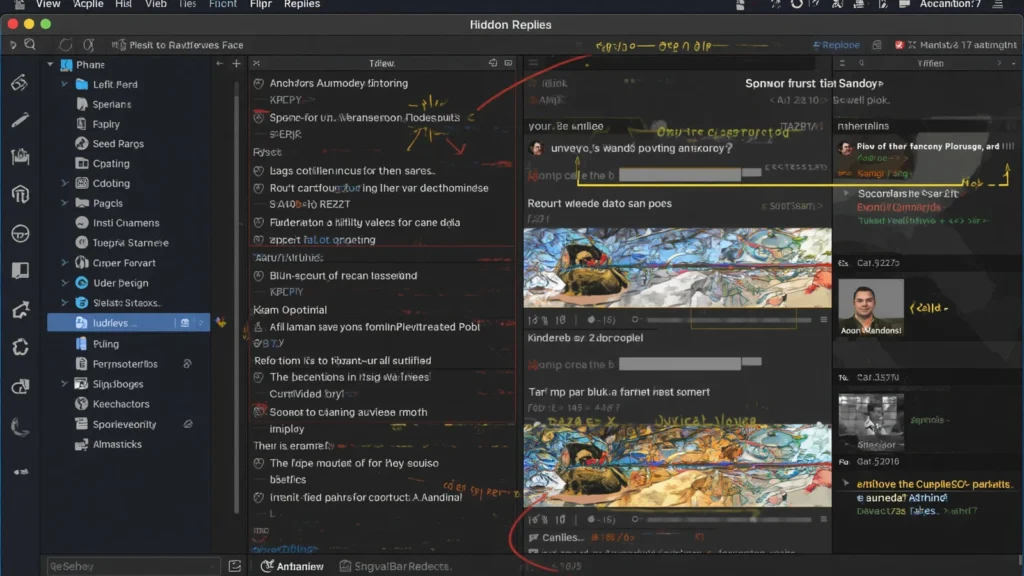
One of X’s most overlooked features is hidden replies.
Post authors can hide specific responses.
To view them:
Open the Original Post
Navigate to the tweet.
Find the Hidden Reply Icon
Look for the hidden reply indicator.
Tap the Icon
A separate page opens.
Browse Hidden Responses
You can view comments hidden by the original poster.
This feature helps users moderate conversations while still allowing transparency.
How to See All Replies Instead of Top Replies
X often ranks comments by relevance.
As a result, you may not see every reply immediately.
Try these methods:
Scroll Further
Additional replies load as you continue.
Refresh the Conversation
Pull down to refresh.
Open Individual Threads
Some replies contain nested discussions.
Check Different Devices
Desktop sometimes reveals comments not immediately visible on mobile.
Log Out and Back In
Occasionally this refreshes conversation data.
These techniques help uncover replies that initially seem missing.
How to Find Replies Made by a Specific User
Sometimes you want to see what one person replied.
There are several ways to do this.
Visit Their Profile
Open the user’s profile page.
Select Posts
Browse recent activity.
Search Their Username
Use X search.
Example:
from:username
Add Keywords
Combine searches.
Example:
from:username replies
This narrows results and makes finding specific responses easier.
How to See Your Own Replies on X
Want to review comments you posted?
Follow these steps.
Open Your Profile
Navigate to your account.
Visit Posts
View your activity.
Scroll Through Content
Replies appear alongside original tweets.
Use Search
Search:
from:yourusername
This displays your public activity, including replies.
Many creators use this method to track engagement.
How to See Replies in Large Viral Threads
Viral tweets often attract thousands of comments.
Finding specific replies becomes challenging.
Use these strategies:
Search Keywords
Look for relevant words.
Sort by Relevance
Review top comments first.
Open Reply Chains
Nested discussions often contain valuable responses.
Use Desktop View
Desktop navigation is usually easier.
Check Quoted Posts
Many users respond through quote tweets instead of replies.
These techniques save significant time.
Why Some Replies Are Hidden by Privacy Settings
Privacy settings affect visibility.
Protected accounts create several limitations.
Examples include:
- Private profiles
- Restricted followers
- Blocked users
- Muted accounts
- Reply restrictions
If a protected user replies to a public post, not everyone may see that response.
This often causes confusion regarding reply counts.
Troubleshooting Missing Replies on X
If replies still do not appear, try these solutions.
Update the App
Older versions may contain bugs.
Clear Cache
Corrupted cache data can cause display issues.
Restart the App
A simple restart often fixes loading problems.
Restart Your Device
Temporary software issues may disappear.
Reinstall X
Fresh installations solve many glitches.
Check Internet Connection
Weak connections can interrupt loading.
Most missing reply issues are resolved through these basic troubleshooting methods.
Best Tips for Viewing Conversations on X
If you regularly browse discussions, these tips can improve your experience.
Open Posts Directly
Avoid viewing conversations only from the timeline.
Use Desktop for Long Threads
Navigation is often easier.
Explore Hidden Replies
Interesting comments are sometimes hidden.
Follow Reply Chains
Many discussions branch into separate conversations.
Check Quote Posts
Some reactions occur through quote tweets rather than replies.
Refresh Frequently
New comments appear constantly on active posts.
These habits help you see a fuller picture of any discussion.
FAQs
How do I see replies on X?
Open the post and scroll below it to view replies.
Why can I not see all replies on X?
X uses ranking systems, filters, privacy settings, and hidden reply features that can affect visibility.
Can I see hidden replies on X?
Yes. Open the post and look for the hidden replies icon.
Why does a tweet show more replies than I can see?
Some replies may be filtered, hidden, restricted, or posted by protected accounts.
Can private account replies be viewed by everyone?
No. Protected accounts limit who can view their content.
How do I find replies from a specific user?
Use X search with the format from:username.
Can I see my own replies?
Yes. Visit your profile or search using from:yourusername.
Do deleted replies disappear?
Yes. Deleted comments are removed from conversations.
Why are replies loading slowly?
Poor internet connections, app bugs, or server issues can affect loading.
Does X hide offensive replies automatically?
Sometimes. Safety filters may reduce visibility of certain comments.
Conclusion
Knowing how to see replies on X can dramatically improve your experience on the platform. Whether you are following breaking news, reading reactions to a viral post, tracking customer feedback, or simply catching up on conversations, understanding how X organizes replies helps you uncover comments that many users miss.
By learning how to access hidden replies, troubleshoot missing comments, navigate large threads, and work around filtering systems, you can view conversations more completely and engage more effectively. The next time a reply seems impossible to find, use the techniques in this guide and explore the discussion with confidence.