
Quick Answer
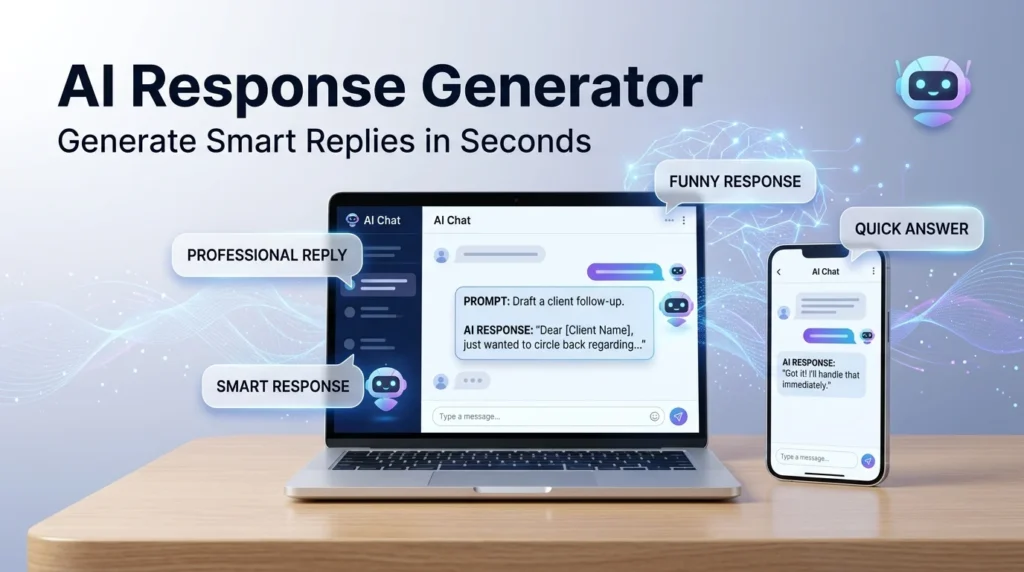
An AI response generator is a tool that creates replies or written responses based on the message, question, or situation you provide. It can help generate casual texts, professional replies, customer service messages, social media responses, emails, and other types of communication.
Top uses: text replies, email responses, customer support, social media, professional messages
Sometimes you know exactly what you want to say, but the words just refuse to cooperate. That’s where an AI response generator can come in handy. Instead of staring at a blank screen, you can provide a message or situation and get a ready-to-use response in seconds. People use these tools for everything from replying to texts and emails to handling customer questions and writing social media comments. The biggest advantage is flexibility. You can ask for a reply that sounds friendly, professional, funny, confident, short, or casual. The better you explain the situation and tone you want, the more useful the response can become.
What Is An AI Response Generator?
An AI response generator is a tool that uses artificial intelligence to create responses based on information provided by the user.
You might enter a message, question, or situation and ask for a suitable reply.
Example: Someone sends you a professional email and you need a polite response.
Meaning: The AI can help create a response that matches the situation and tone.
How Does An AI Response Generator Work?
An AI response generator analyzes the text or instructions you provide and creates a response based on the context.
You can usually provide information such as:
- The original message
- The purpose of your reply
- Your preferred tone
- Desired length
- Important details
- The relationship between you and the recipient
Example: You provide a message and ask for a short, friendly response.
Meaning: The generator uses those instructions to create a response that fits your request.
What Can An AI Response Generator Be Used For?
An AI response generator can help with many everyday communication tasks.
Common uses include:
- Text messages
- Emails
- Customer support
- Social media comments
- Dating messages
- Business communication
- Workplace replies
- Thank-you messages
- Apologies
- Invitations
- Follow-up messages
Example: You need to respond to a customer who is asking about an order.
Meaning: The generator can help you create a clear and polite customer response.
AI Response Generator For Text Messages
Texting can be surprisingly difficult when you don’t know how to respond.
An AI response generator can suggest different replies based on the mood you want.
Example: A friend sends you a funny message and you want a witty response.
Meaning: You can ask for several funny replies instead of sending the first boring thing that comes to mind.
AI Response Generator For Professional Messages
Professional communication requires a different tone from casual texting.
An AI response generator can help make a message sound clearer, more respectful, and more appropriate for work.
Example: Your manager asks you to confirm a meeting.
Meaning: You can generate a concise professional response without overthinking every sentence.
AI Response Generator For Customer Service
Businesses can use AI-generated responses to help handle common customer questions.
For example, a company may need responses about:
- Orders
- Shipping
- Returns
- Product information
- Appointments
- Account questions
- General support
Example: Several customers ask the same basic question about delivery times.
Meaning: AI can help create consistent responses that support agents can review and customize.
AI Response Generator For Social Media
Social media often moves quickly, and creators or businesses may receive dozens of comments.
An AI response generator can suggest replies for different situations.
Example: A follower leaves a positive comment on your post.
Meaning: You can create a friendly response without repeating the same “Thanks!” every time.
AI Response Generator For Dating And Flirting
People also use AI response generators for personal conversations, including dating and flirting.
The key is choosing a response that actually sounds like you.
Example: Someone sends you a playful message and you want to keep the conversation going.
Meaning: AI can suggest playful or flirty ideas that you can adapt to your personality.
AI Response Generator For Difficult Conversations
Some messages are difficult because the wrong wording can create unnecessary tension.
AI can help suggest calm and respectful ways to respond to disagreements, criticism, or awkward situations.
Example: Someone sends you an angry message and you don’t want to respond emotionally.
Meaning: A generated response can give you a calmer starting point.
How To Get Better Responses From AI
The quality of the response often depends on the information you provide.
Instead of simply writing:
“Reply to this.”
Give more context.
For example:
“Write a short, friendly response to this message. I want to sound interested but not overly enthusiastic.”
This gives the generator a much clearer direction.
Example: You want a confident but casual reply.
Meaning: Specific instructions help the response match your intended tone.
AI Response Generator Tone Options
One useful feature of AI-generated responses is the ability to change the tone.
You can ask for responses that are:
- Funny
- Friendly
- Professional
- Polite
- Casual
- Confident
- Flirty
- Sweet
- Sarcastic
- Clever
- Short
- Formal
- Warm
- Direct
Example: The original message is serious, but you want your response to sound calm and friendly.
Meaning: You can adjust the tone without rewriting the entire message yourself.
AI Response Generator Examples
Here are a few simple examples.
Friendly
“Thanks for reaching out! I really appreciate it.”
Good for everyday conversations and polite messages.
Professional
“Thanks for the update. I’ll review it and get back to you shortly.”
Useful for workplace communication.
Casual
“Sounds good! Just let me know when.”
Useful for friends and informal conversations.
Funny
“I was going to reply sooner, but my brain apparently needed a software update.”
Useful when you want to keep things light.
Confident
“Absolutely. I’m looking forward to it.”
Useful when you want to sound positive and self-assured.
Benefits Of Using An AI Response Generator
AI response generators can save time and make communication easier.
Some common benefits include:
- Faster replies
- More response ideas
- Different tones
- Better wording
- Help with writer’s block
- Easier professional communication
- Quick personalization
- More confidence when replying
Example: You have five emails waiting for replies.
Meaning: AI can help you create starting drafts much faster.
Are AI Generated Responses Always Perfect?
No. An AI-generated response can still misunderstand context, use the wrong tone, or sound unnatural.
That’s why you should read the response before sending it.
Example: The generator creates a very formal response to a close friend.
Meaning: The wording may be technically fine but completely wrong for the relationship.
How To Make AI Responses Sound More Human
Don’t simply copy and paste every response.
Read it first and change anything that doesn’t sound like you.
You can also ask for:
- Shorter sentences
- More natural wording
- Less formal language
- A casual tone
- More personality
- Fewer emojis
- No unnecessary details
Example: The response sounds too polished for a normal text.
Meaning: Editing a few words can make it feel much more natural.
AI Response Generator vs Writing A Reply Yourself
Both approaches have advantages.
| AI Response Generator | Writing Yourself |
|---|---|
| Faster | More personal |
| Gives multiple ideas | Completely original wording |
| Helps with writer’s block | Naturally matches your voice |
| Easy to change tone | No editing needed |
| Useful for repetitive replies | Better for highly personal situations |
The best approach is often somewhere in the middle. Use AI for ideas, then make the final response your own.
Best Practices For Using An AI Response Generator
Use these simple tips to get better results:
- Give enough context.
- Explain who you’re replying to.
- Mention the tone you want.
- Tell it how long the response should be.
- Ask for multiple options when useful.
- Review the final response.
- Add your own personality.
- Avoid sharing sensitive personal information.
Example: You need a short professional reply to a client.
Meaning: Giving the generator the situation and tone makes the result more useful.
FAQs
What is an AI response generator?
It’s a tool that uses artificial intelligence to create replies based on a message, question, or situation.
What can an AI response generator write?
It can create text messages, emails, customer service replies, social media responses, workplace messages, and many other types of communication.
Is an AI response generator free?
Some tools offer free features, while others may require payment for advanced features or higher usage limits.
Can AI generate funny responses?
Yes. You can ask for funny, witty, sarcastic, or playful responses.
Can AI generate professional responses?
Yes. You can specify that you want the response to sound formal, professional, polite, or business-friendly.
Can I use an AI response generator for texting?
Yes. It can create casual, friendly, funny, flirty, or short text replies.
How do I get better AI responses?
Give the tool clear context and specify the tone, length, and purpose of your reply.
Conclusion
An AI response generator can make everyday communication much easier when you’re stuck for words or simply need a faster way to draft a reply. From texts and emails to customer service and social media, it can provide useful ideas in different tones and styles.
The trick is not to let the generated response do all the talking. Give it enough context, choose the tone carefully, and then add your own personality before sending anything. A good response should sound like something you would actually say, not like it escaped from a corporate handbook. Used thoughtfully, an AI response generator can save time while helping you communicate with more confidence.
See Also More :
- 300+ How to See Replies on X (Twitter): Complete Guide for Mobile, Desktop and Hidden Conversations 2026
- 200+ Happy Mother’s Day Replies: That Are Sweet, Emotional & Perfect to Send